
AISC 360 (J2.4 / Part 8)
Weld Group Analysis Calculator
AutoDesign’s weld analysis tool analyzes an arbitrary group of weld lines under an arbitrary set of loads. Use the elastic “treat the weld as a line” method (Blodgett / AISC J2.4) for a peak force-per-unit-length check, or the instantaneous-center-of-rotation method (AISC Manual Part 8) for eccentric in-plane shear.
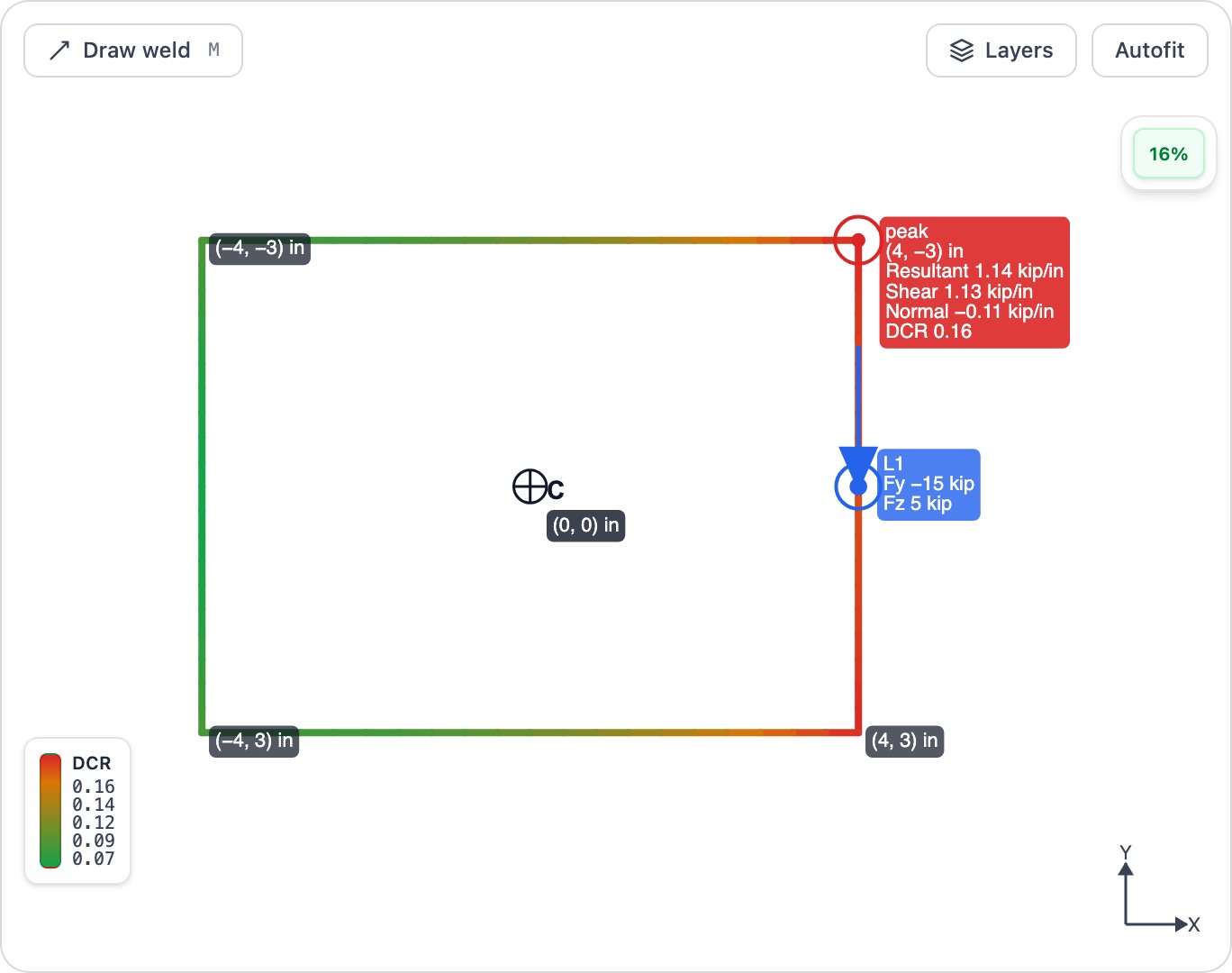
What this calculator does
- ✓Analyze arbitrary weld-line groups under combined force and moment loads
- ✓Elastic method: reduce loads to the weld-group centroid, compute Ix, Iy and J
- ✓Report the peak force-per-unit-length resultant vs the AISC J2.4 weld strength (LRFD/ASD)
- ✓ICR method (AISC Manual Part 8): connection capacity, coefficient C and the instantaneous center
- ✓Optional directional-strength increase (1 + 0.5·sin^1.5θ) and a bearing-carried-compression option
Frequently asked questions
What is the difference between the elastic and ICR methods? +
The elastic (“weld as a line”) method reduces all loads to the weld-group centroid and reports the peak force-per-unit-length resultant — direct shear plus torsion, axial and bending — checked against the AISC J2.4 weld strength. The instantaneous-center-of-rotation method (AISC Manual Part 8) is for in-plane eccentric shear and reports the connection capacity and coefficient C.
Can the ICR method handle out-of-plane loads? +
No. The instantaneous-center method applies to in-plane eccentric shear only; if out-of-plane forces or moments are present, use the elastic method, which handles the general 3D load case.
Does it apply the directional strength increase? +
Optionally. The AISC J2.4 directional-strength factor (1 + 0.5·sin^1.5θ) is available but off by default, so results are conservative unless you enable it.
Ready to run a design?
Open the Weld Group Analysis Calculator in your browser — no install required.
Launch calculator