
ACI 318-19
RC Column Design Calculator (ACI 318-19)
AutoDesign’s reinforced-concrete column tool designs and checks RC columns to ACI 318-19 for combined axial load and biaxial bending, using the PCA / Bresler load-contour method with full P–M interaction diagrams, slenderness and detailing checks.
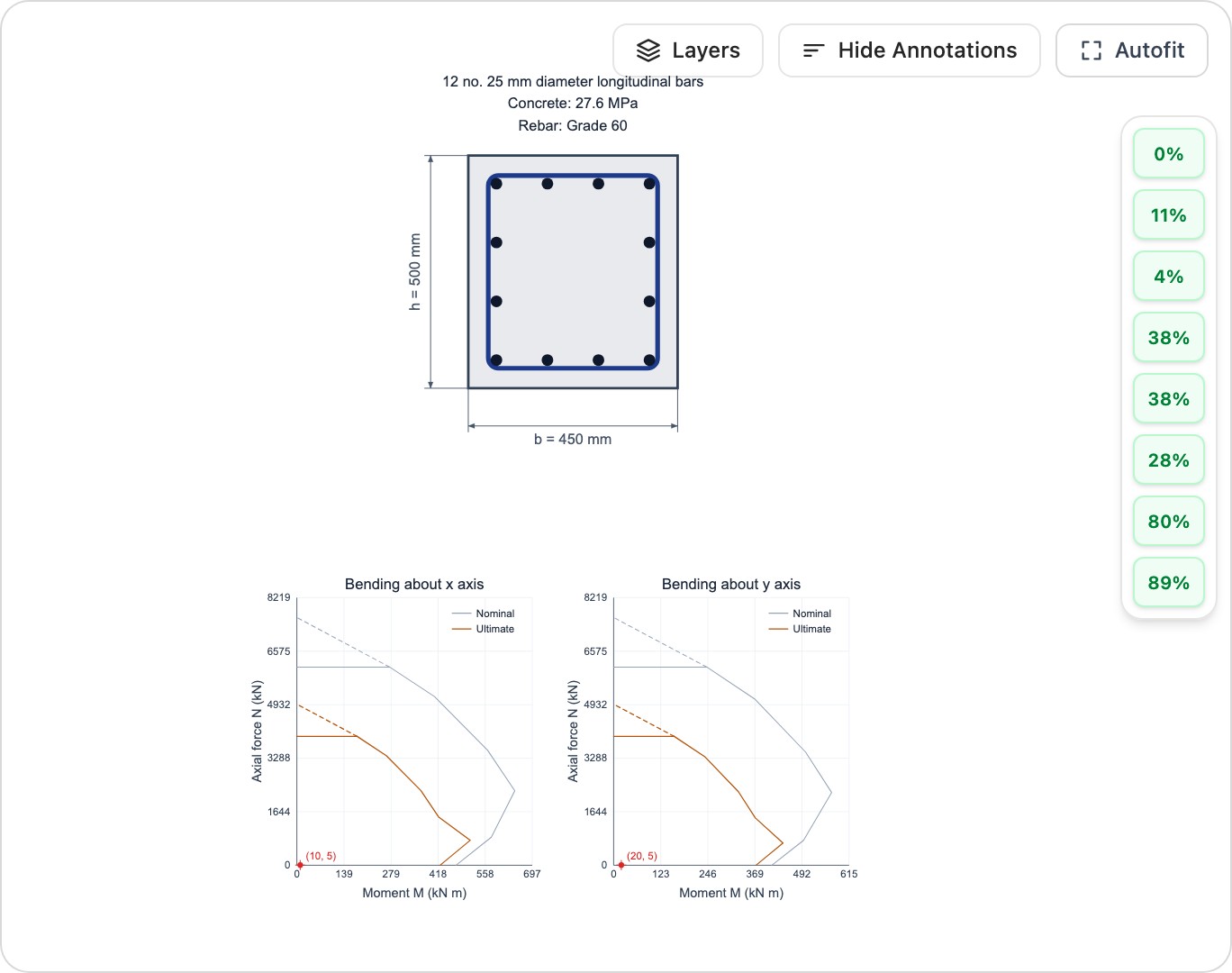
What this calculator does
- ✓Design RC columns for combined axial load and biaxial bending to ACI 318-19
- ✓PCA / Bresler load-contour method
- ✓P–M interaction diagrams in both axes
- ✓Slenderness-ratio check (ACI §6.2.5, advisory)
- ✓Reinforcement and tie detailing checks
Frequently asked questions
Does it handle biaxial bending? +
Yes. The calculator uses the PCA / Bresler load-contour method — the β-power contour (Mnx/Mox)^n + (Mny/Moy)^n = 1 — to check columns under simultaneous bending about both axes plus axial load.
Which code does it follow? +
ACI 318-19. Strength reduction factors, interaction surfaces and detailing minimums follow that edition.
Does it check slenderness? +
Yes — it performs the ACI 318-19 §6.2.5 slenderness-ratio check (k·lu/r against 34−12·M1/M2 ≤ 40 for braced columns, or 22 for unbraced) to flag whether slenderness effects can be neglected. It does not automatically magnify moments; a slender column is surfaced as an advisory to be addressed by bracing or by entering magnified moments.
Ready to run a design?
Open the RC Column Design Calculator (ACI 318-19) in your browser — no install required.
Launch calculator