
2D frame analysis
Online 2D Frame Analysis Calculator
AutoDesign’s online 2D frame analysis tool is a general plane-frame solver that runs in your browser. Draw joints and members at any angle, mix steel and concrete sections, apply loads in global or member-local directions, and read axial, shear, moment and deflection diagrams for any load case, combination or envelope.
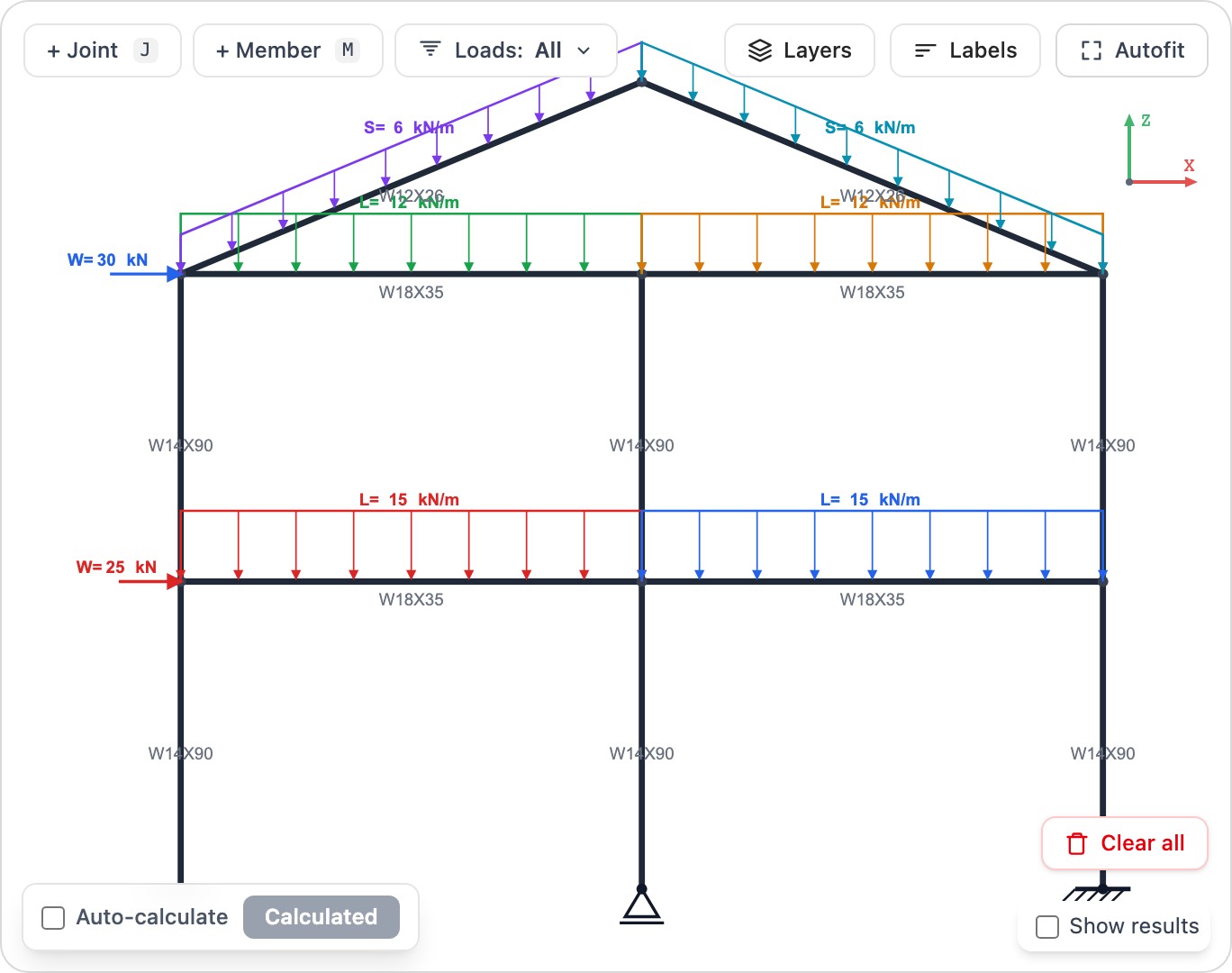
What this calculator does
- ✓Draw joints and members at any angle to model portals, trusses, gable frames and more
- ✓Apply point, distributed and moment loads in global or member-local directions, plus nodal loads
- ✓Define load cases and load combinations
- ✓Read axial (N), shear (V), moment (M) and deflection diagrams
- ✓Get support reactions for any case, combination or envelope
Frequently asked questions
What is the difference between this and the beam analysis tool? +
The beam tool is specialized for horizontal continuous beams. The 2D frame tool is fully general — you can place members at any angle to model frames, portals and trusses, with axial force in addition to shear and moment.
Can I apply loads in member-local directions? +
Yes. Distributed and point loads can be applied in global X/Y or aligned to the member’s local axes, plus nodal loads and applied moments.
Is the 2D frame analysis calculator free? +
Yes — it runs in the browser with a free AutoDesign account. No downloads or installs are required.
Ready to run a design?
Open the Online 2D Frame Analysis Calculator in your browser — no install required.
Launch calculator